AI portrait generator from your photo.
Start with a clear portrait and choose how you want it to look. Morrow’s AI portrait generator uses your uploaded reference: Realistic aims for a photographic image, while Anime, Watercolor and other presets offer drawn or painted treatments.
Create a portrait4 credits for one standard image. New accounts receive 4 starter credits. See current pricing.
From your reference to a result.
Upload a portrait
Open Create character, upload a permitted JPG, PNG or WebP under 10 MB and confirm the crop. The current workflow needs an image, not only a written description.
Choose a treatment
The creation link selects Realistic. Keep it for a photographic direction, or deliberately choose another style for an illustrated portrait.
Guide the image
Describe one lighting mood, outfit or setting. Avoid conflicting instructions about the facial features you want to retain.
Compare before saving
Review the cost, generate, then compare the completed image with your source. Download useful versions and return to the main reference for a new attempt.
What happened in this test.
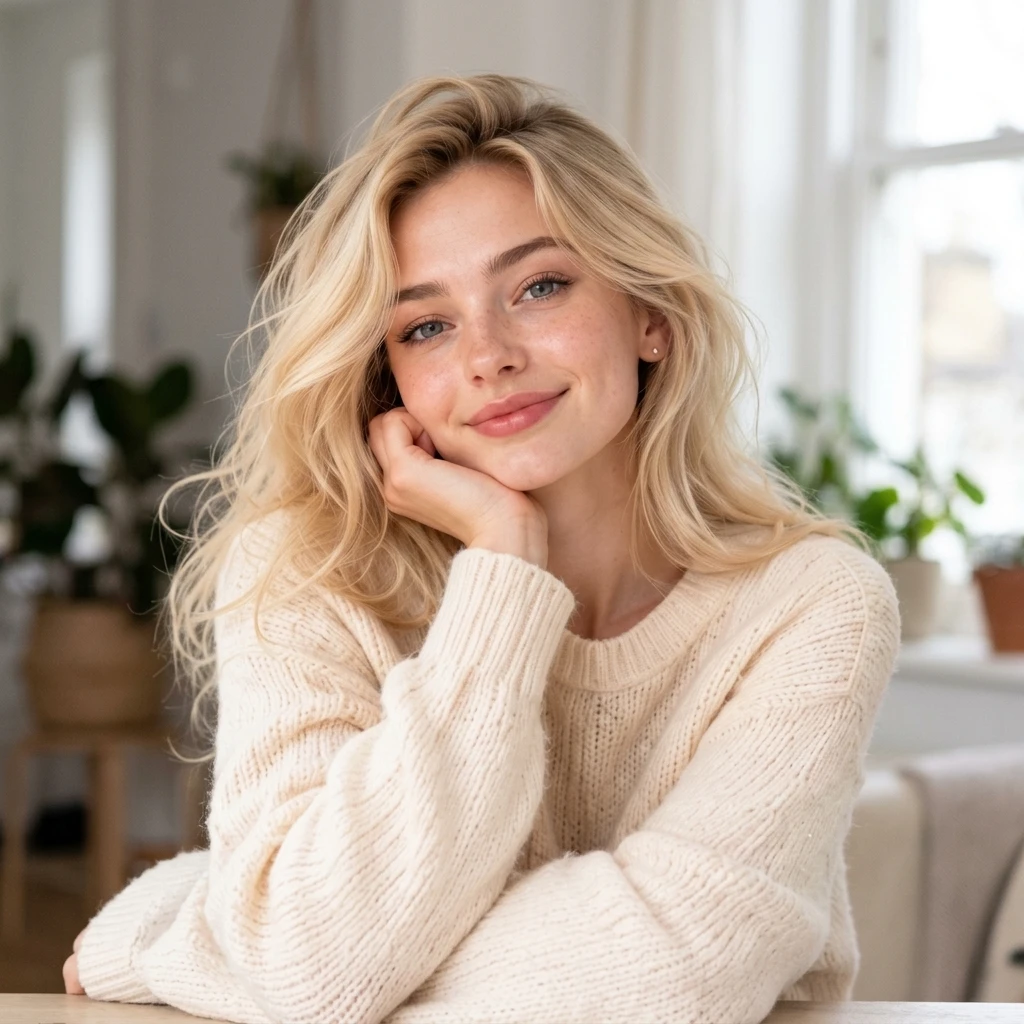
This is one recorded result, not a guarantee for every reference.
Historical provider-only style test at 1K. This did not test a production Morrow account, moderation, credit deductions, saving or downloading.
Visible in the output
- The result is a photographic-looking portrait with blonde hair, light eyes, a cream knit sweater and a hand resting against the face.
- Skin texture, room detail and soft window lighting remain visible rather than ink or cel shading.
What this does not establish
- One fictional adult input and one result do not establish exact likeness or reliable results for every reference.
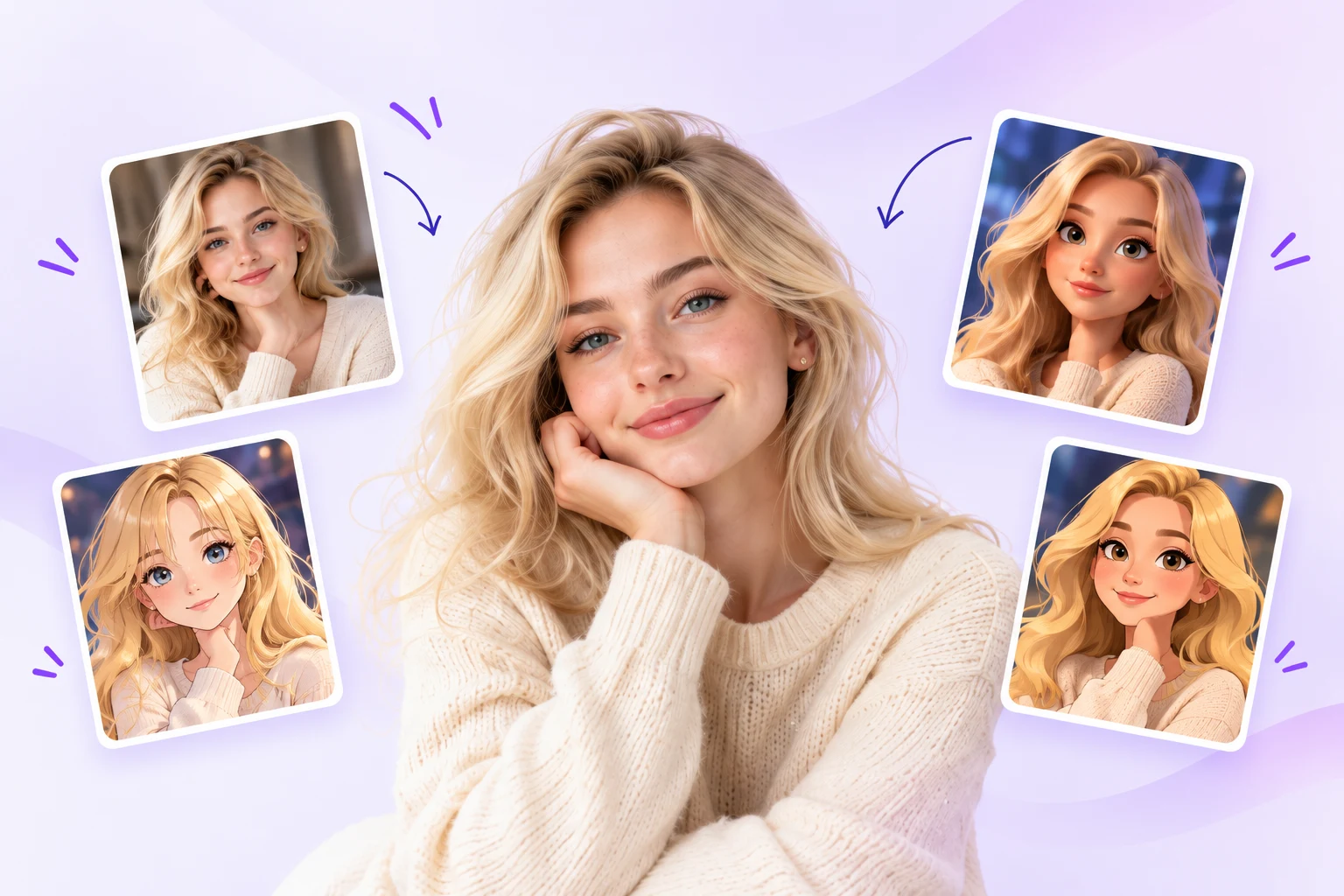
- The input contains surrounding style cards and graphics, so this is not a clean single-person portrait benchmark.
Test conditions and recorded prompt
Historical Kie provider-only request on 13 October 2026 using the site’s livePrompt and model schema, at 1K. This did not test production sign-in, moderation, account credits, saving or downloading. The full homepage artwork was submitted; the prompt selected its central fictional adult. No new generation was made for this page.
Model: nano-banana-2-1. Operation: generate.
Visual style (realistic): Create a natural photographic portrait with lifelike skin texture, realistic fabric and hair, plausible camera detail and balanced available light. Avoid illustration or stylized rendering. Keep defining facial features and hairstyle recognizable from the reference where visible.. User request: Use only the large central adult blonde woman in the reference, with her recognizable blue eyes and wavy blonde hair. Ignore the four small example cards, arrows and graphic background. Create one character image with a simple background, no collage, no lettering.. Single image. Half body
Before you spend credits.
- Choose one visible face with even lighting. Strong filters, obscured features and multiple people make the reference harder to interpret.
- Compare the eyes, face shape, skin detail and hairline. A realistic-looking output can still change the person’s appearance.
- This is creative portrait generation. It does not certify passport photos, identity images, professional headshot standards or exact facial matching.
The starter grant covers one standard image. It is a trial, not unlimited free generation. Sets, editing and background removal have separate costs. Read the credit and failure answers.
Common questions.
Can I generate a portrait from text alone?
Not in Morrow’s current creation flow. Upload a reference first, then use an optional instruction to guide its appearance.
Which styles can I use for AI-generated portraits?
Realistic, Cinematic, Black & white and Vintage film offer photographic directions. Anime, Watercolor and Pencil sketch are different illustrated treatments. The style gallery shows what each preset aims to do.
Will a portrait keep my face exactly?
No exact match is guaranteed. The recorded example uses one fictional adult reference; it does not establish identity accuracy for other people, poses or lighting.
Is this a review of different AI portrait generators?
This page explains Morrow’s own reference-photo workflow. It is not a ranking or independent comparison of other portrait tools.