Photo to anime: a new look for a familiar face.
Start with a clear portrait and choose Anime for colored linework, shaped hair and cel shading. Keep your photo nearby: a drawn face can retain familiar features while changing proportions.
Create an anime character4 credits for one standard image. New accounts receive 4 starter credits. See current pricing.
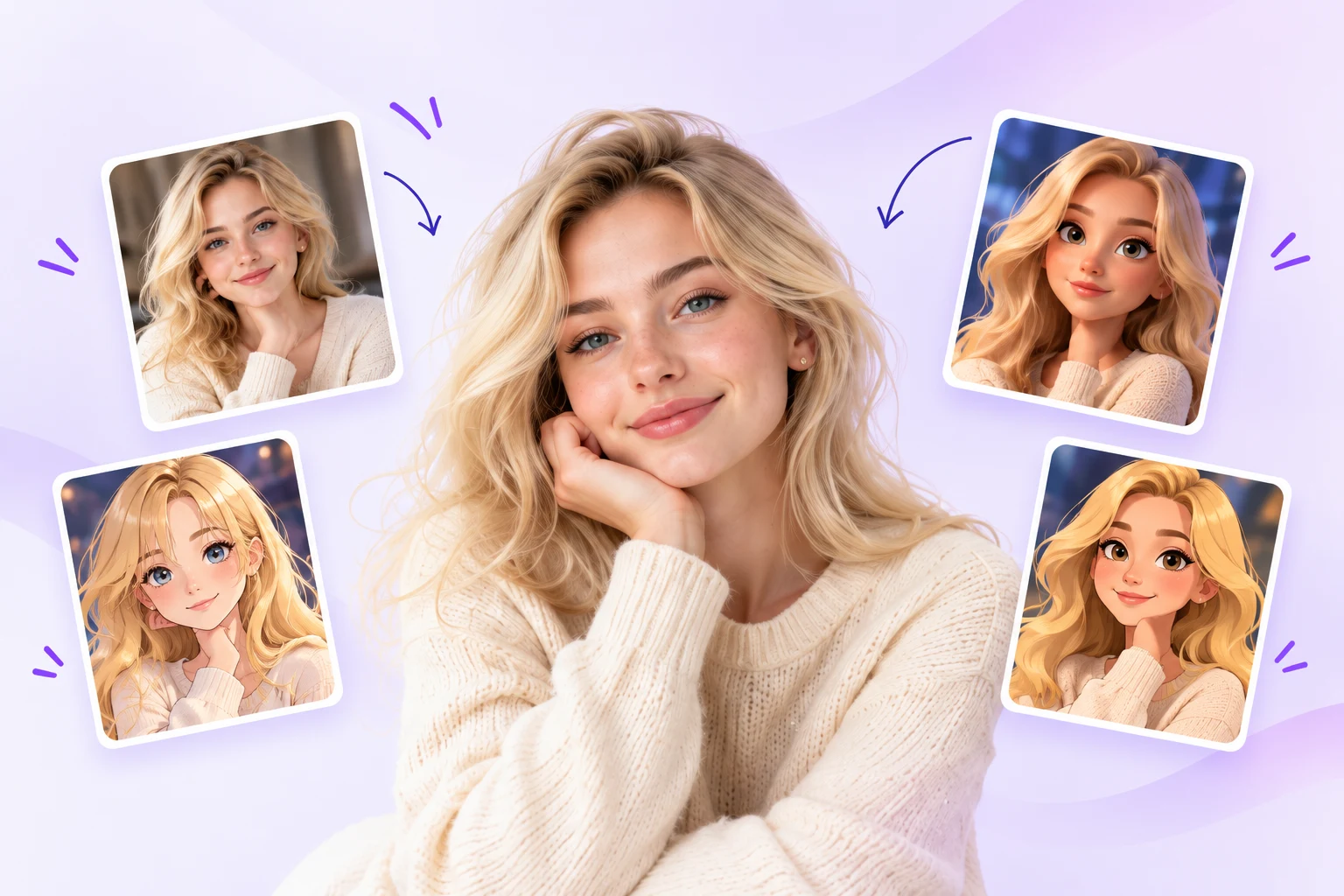
From your reference to a result.
Upload your reference
Choose Create character using the Anime link on this page, upload a JPG, PNG or WebP under 10 MB, then confirm the crop. Naming is optional at this stage.
Keep Anime selected
The creation link on this page carries the Anime preset into the existing studio. Pick a framing that leaves enough room for the hair and shoulders.
Describe one change
Add the outfit, mood or setting you want. Conflicting appearance instructions can pull the result away from your reference.
Check and download
Review the cost before generating. Compare the completed image with your photo, then download the version you want to keep.
What happened in this test.
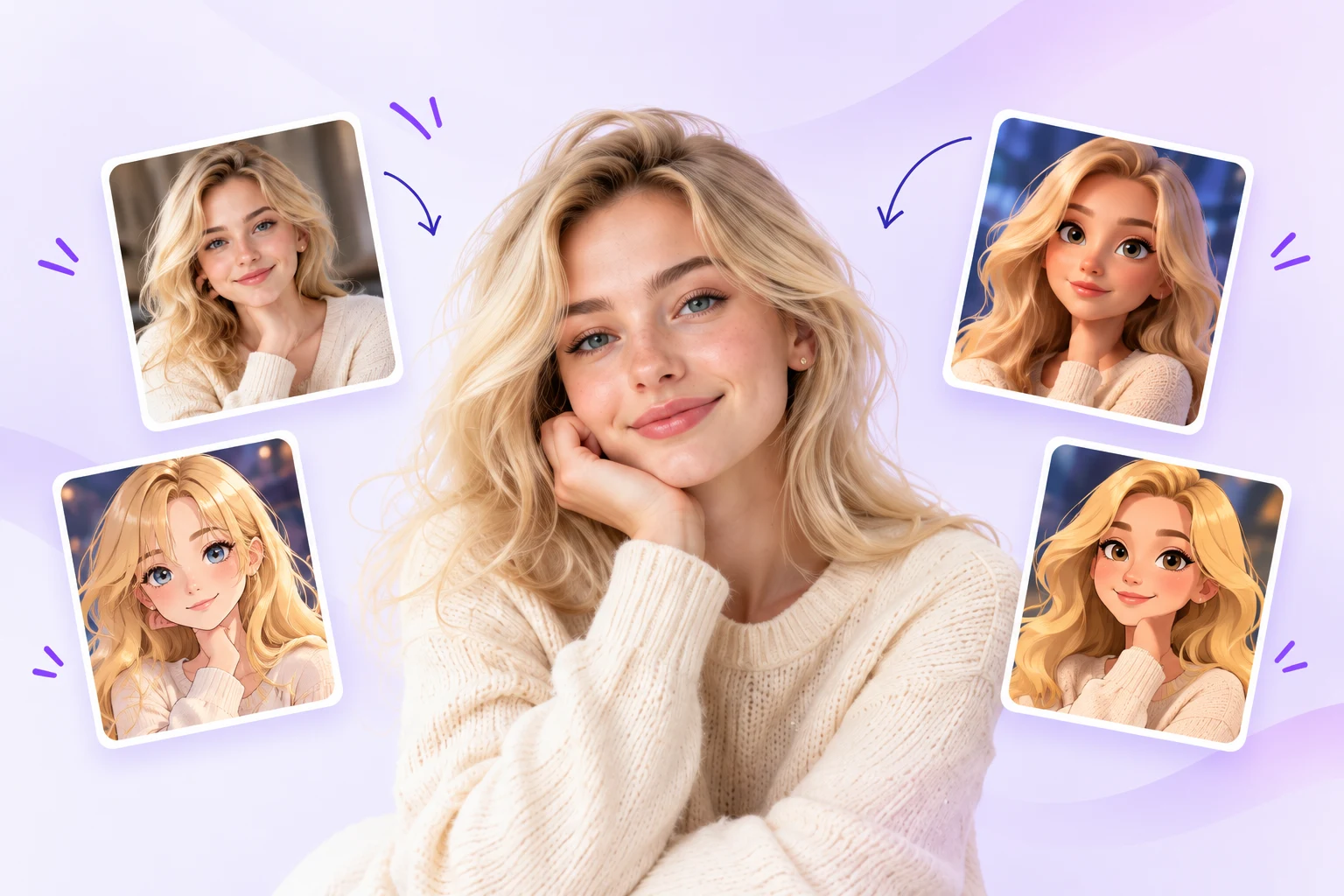
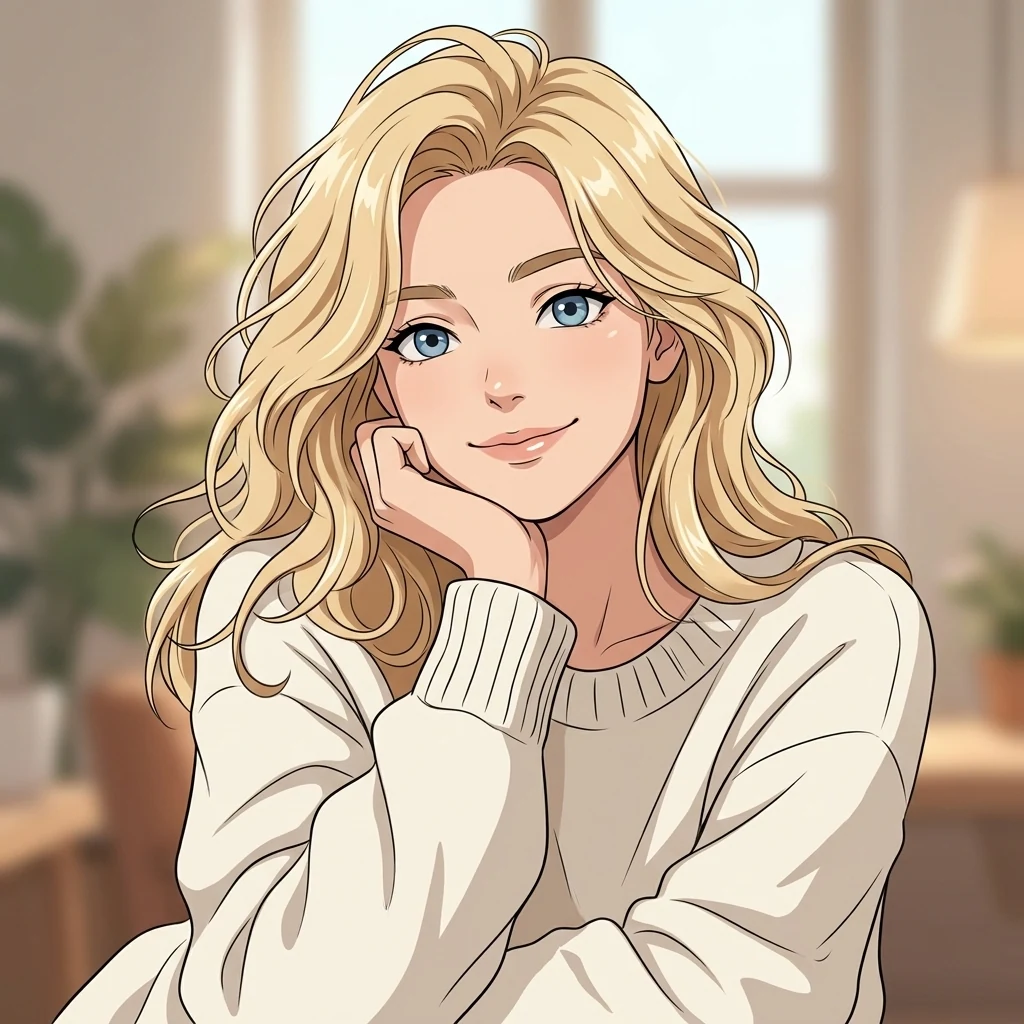
This is one recorded result, not a guarantee for every reference.
Visible in the output
- The provider returned one anime portrait with fine outlines and cel shading; blonde hair, a cream top and the hand-on-cheek pose remain visible.
What this does not establish
- Fine facial details shift from the reference; exact likeness and consistency across other inputs are untested.
- The reference is a full homepage composition; the prompt selected its central adult character.
Test conditions and recorded prompt
Historical real Kie provider-only request using the formal livePrompt and model request schema; not an isolated full-site or production transaction.
Model: nano-banana-2-1. Operation: generate.
Visual style (anime): Illustrate in a polished 2D anime style with precise line art, expressive eyes, carefully shaped hair and clear cel-shaded color planes. Keep defining facial features and hairstyle recognizable from the reference where visible.. User request: Use only the large central adult blonde woman in the reference, with her recognizable blue eyes and wavy blonde hair. Ignore the four small example cards, arrows and graphic background. Create one character image with a simple background, no collage, no lettering.. Single image. Half body
Before you spend credits.
- Use one clearly visible face. Cropping out other people helps the reference stay unambiguous.
- Compare the eyes, face outline and hairline with your photo. Larger drawn eyes can change the likeness.
- Choose Manga for black-and-white ink or Chibi for a compact full-body figure; these are separate presets.
The starter grant covers one standard image. It is a trial, not unlimited free generation. Sets, editing and background removal have separate costs. Read the credit and failure answers.
Common questions.
Is an anime character the same as manga?
Morrow’s Anime preset produces a colored, cel-shaded image. Manga uses black-and-white ink and screentones. Chibi changes the head-to-body proportions. Compare the style gallery before choosing.
Will it keep my exact face?
Likeness varies. Hair, framing and some facial details may carry through, but a single successful sample does not establish exact matching for every person.
Does this make an animation?
No. This workflow produces a still image, not a video or an animated avatar.